Microsoft's New Copilot: Designing AI Around Modes
Microsoft's new Copilot splits AI work into Home, Code and Autopilot. What mode-based design means for teams and brands building with AI.
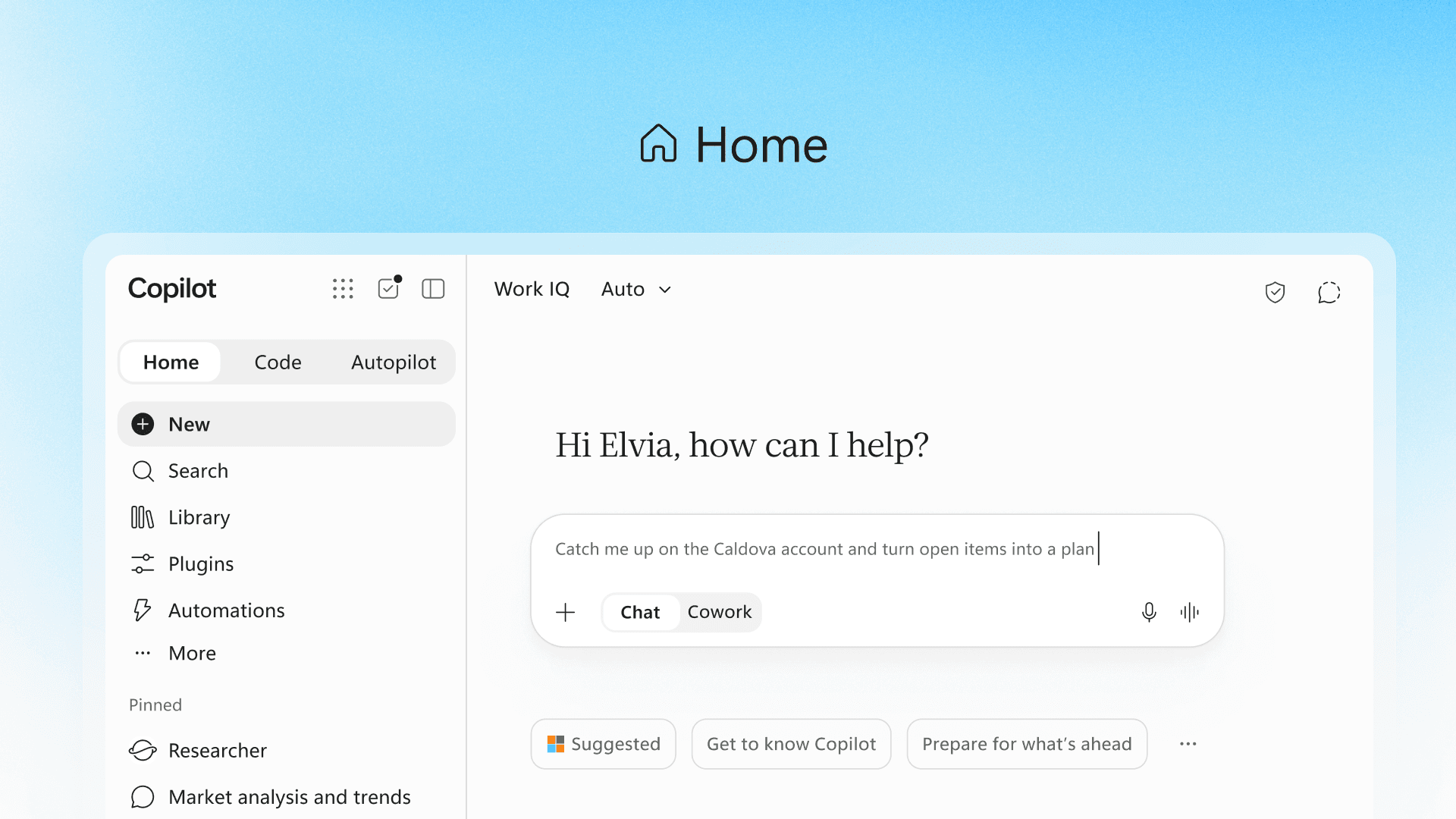
From Chat Box to Workspace
On 25 September 2026, Microsoft introduced a redesigned Copilot app organised around three new areas: Home, Code and Autopilot. On the official Microsoft blog, Jared Spataro described Home as the starting point where Chat and Cowork come together, Code as a way for anyone to build small tools, and Autopilot as an agent that keeps working in the background. GeekWire framed it as Microsoft's answer to rivals combining chat, coding and agents in one app. The move from a single chat box to distinct modes is the design story.
Matching the Interface to the Job
Microsoft is clear about the difference between modes. Chat is for quick questions, lookups and drafts. Cowork is for tasks you delegate and want back as finished work, such as a customer briefing or a launch kit. Code builds apps, dashboards and automations from plain-language descriptions. Each mode sets different expectations about speed, effort and output. For product teams designing AI features, this is the key lesson: users need to know what kind of help they are asking for, and what they will get back.
Home as the Place to Get Your Bearings
Home gathers recent activity, suggestions and unfinished work into one view, so people can pick up where they left off. Microsoft is also bringing Word, Excel and PowerPoint into Copilot, creating real, editable files the whole team can work on. Soon, Microsoft says, users will not need to choose a mode at all, as Copilot will route each request itself. That is a sensible progression. Teach people the modes first, then gradually take the choice away once the system can make it well.
Everyone Becomes a Builder
Code is perhaps the boldest idea. Microsoft argues that small, purpose-built solutions are becoming a new unit of work alongside the document, spreadsheet and deck. Users describe a tracker, widget or internal app, and Copilot builds it, running in a sandboxed environment within the organisation's own tenant. For designers, this raises an interesting challenge. When anyone can generate an interface, brand guidelines, design systems and clear component rules matter more, not less. They keep a thousand home-made tools feeling like one company.
An Agent with a Name and a Role
Autopilot, previously called Scout, is set up like a colleague. Users give it a name, a role and a goal, and it follows threads, runs recurring tasks and returns to projects days later. It shows up where people already work, in Teams, Outlook and documents, and can be @mentioned. Microsoft stresses that users set the objectives and boundaries while staying informed and in control. Designing agents as teammates with defined roles is a useful pattern: it gives people a familiar mental model for something new.
Being Open About Cost
Microsoft also introduced FinOps for AI tools, letting admins set spending policies and letting users see their own credit usage and remaining balance inside Copilot. VentureBeat noted that agentic features such as Code and Autopilot carry usage-based charges. Whatever the pricing, surfacing cost inside the product is good design. As AI features become more capable and more expensive to run, customers will expect the same clarity they get from a phone bill: what was used, what remains and why.
Conclusion: Clear Modes Build Trust
The new Copilot shows how AI products are maturing, from one open-ended chat window to clearly defined modes, each with its own promise. Home orients, Code builds and Autopilot acts, with cost and control made visible. At Life Designer, when we design AI features for clients, we start by naming the job the user wants done and making that job obvious on screen. Microsoft's redesign is a large-scale version of the same idea. Clear modes and visible limits are what turn AI curiosity into everyday trust.
Images: Microsoft, used with permission from Microsoft; Microsoft, used with permission from Microsoft. Sources: The Official Microsoft Blog, GeekWire, VentureBeat.